
Mobile Workforce Management
Give your field teams everything they need to deliver first-time, paperless service – online or offline.
- Access job details, workflows, and critical information direct to device
- Capture data, update job status, and stay connected, with or without signal
- Go paperless, reduce admin, and deliver compliant service on every visit
Emergency Services Healthcare Housing & Property Facilities Management Public Services Commercial Field Service Manufacturing Telecoms Airports & Ports Utilities Fire & Security

Watch The Demo
Trusted By




Paperwork Slowing Everything Down
Field teams rely on paper forms, manual updates, and trips back to base – taking up time that should be spent on the job.
Fully Paperless Field Delivery
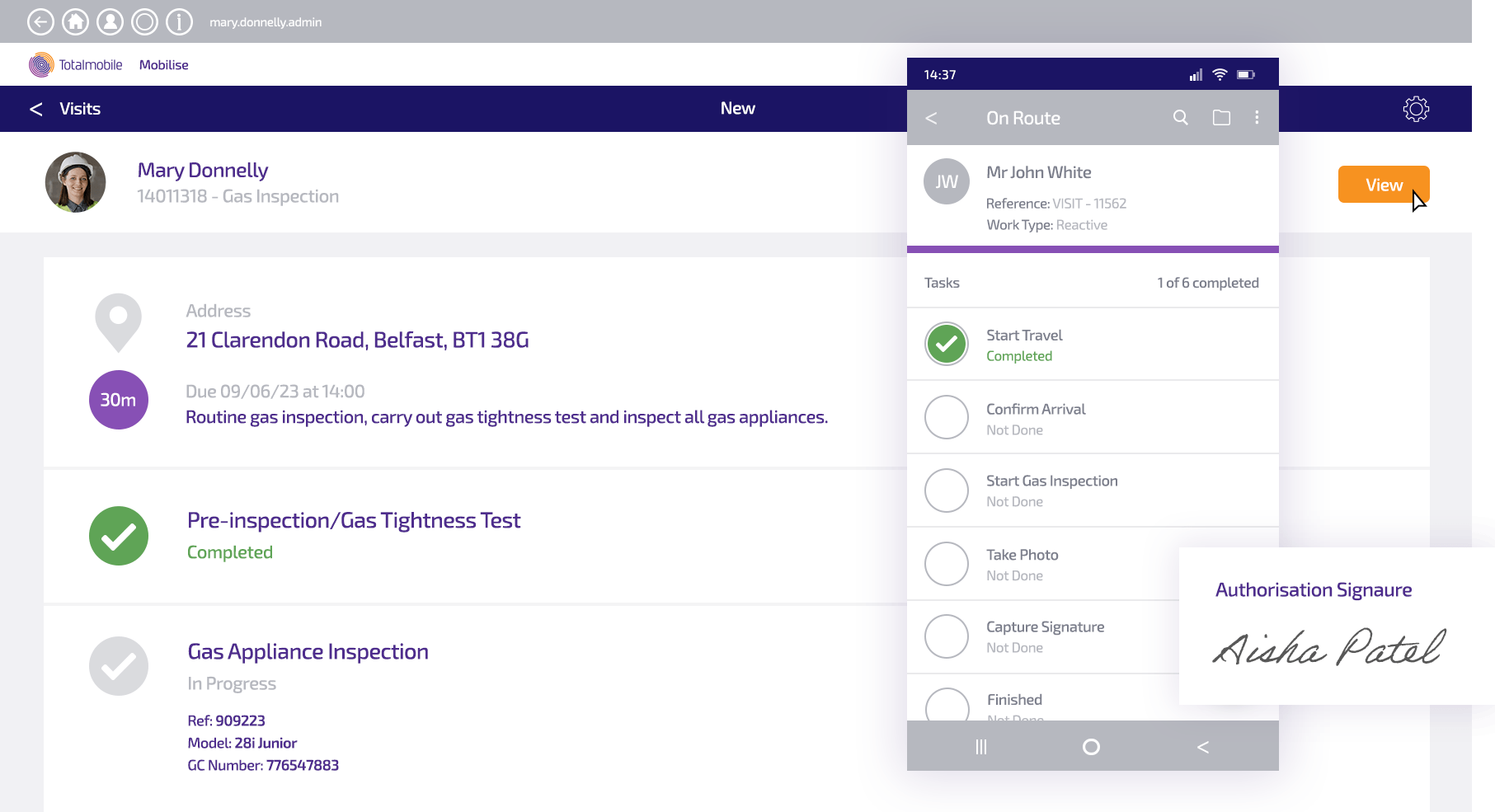
Staff access job details, complete forms, capture signatures and photos, and update job status – all from their device, with no paperwork.
No Access to Job Information in the Field
Job history, supporting documents, and task guidance are scattered across systems – or simply not accessible in the field.
Everything Delivered Direct to Device
All job-critical information — case notes, service history, task guides, and documents — is attached to every job and available wherever the worker is.
No Visibility of What's Happening in the Field
Managers can’t see job progress in real time and rely on phone calls and manual check-ins to understand what’s happening.
Real-Time Job Status Updates
As work progresses, updates sync instantly with back-office systems – giving managers live visibility without follow-up calls or manual entry.
Staff Stuck Without Signal
In rural areas or buildings with poor connectivity, field workers can’t access job information or submit updates, bringing work to a halt.
Full Offline Capability
All critical job information is stored locally on the device. Staff can work, capture data, and complete jobs anywhere – updates sync automatically when connectivity is restored.
Inconsistent Service Quality
Without guided processes, staff approach jobs differently – increasing the risk of missed steps, compliance failures, and repeat visits.
Guided Workflows & Visit Control
Pre-approved workflows walk field staff through every job step by step, ensuring tasks are completed correctly, in full compliance, every time.
Generic Forms That Don't Fit the Job
Long, irrelevant forms slow staff down and lead to poor data quality – especially when questions don’t adapt to job type or context.
Smart, Adaptive Forms
Intelligent forms show only the questions relevant to each job, responding dynamically to job type, status, and previous answers. Supports photos, voice notes, drop-downs, and free text.
Key features of our mobile working app
Job Calendar & Schedule View
Staff view all assigned work through an easy-to-read job calendar or map view. Every job is presented with task-specific details – location, date and time, service user information, and the specific tasks required – helping field teams plan and execute more confidently.
Guided Visits & Workflow Control
Pre-approved workflows guide staff through each visit or task in a specific order, ensuring jobs are completed properly and in full compliance with organisational procedures and SLAs. Planners can track job status in real time and identify any risks to service delivery.
Field Data Capture
Staff capture all required job information on site – forms, photos, signatures, inspection results, and notes – directly from their device. Structured inputs improve accuracy and eliminate manual duplication, with data syncing instantly to back-office systems.
Offline Access
All critical job information is attached to each task and available locally on the device – with no dependency on signal. Teams stay productive in remote locations, and data syncs automatically when connectivity is restored.
Smart Forms
Intelligent forms dynamically adapt to the job being performed, showing only relevant questions and fields. A range of data entry methods – drop-down menus, photographs, voice recordings, and free text – make data capture faster, easier, and more accurate.
Lone Worker Safety
Seamless integration with Lone Worker Protection capability supports safe check-ins, SOS alerts, and duty of care compliance – keeping field staff protected wherever they’re working.
Totalmobile vs. Paper-Based Working
| Capability | Paper-Based / Manual Approach | Totalmobile |
|---|---|---|
| Job information access | Paper job sheets, phone calls, and trips back to base | All job details, history, and guidance delivered direct to device — online or offline |
| Data capture | Paper forms completed on site, manually entered back at base | Digital capture at the point of service — photos, signatures, forms — synced instantly to back-office systems |
| Workflow compliance | Inconsistent — varies by individual, with no step-by-step guidance | Pre-approved guided workflows ensure every job is completed correctly and in full compliance |
| Offline working | Work stops without signal | Full offline capability — staff access job data and capture information anywhere, syncing when reconnected |
| Manager visibility | Phone calls and manual check-ins to track job progress | Real-time job status updates visible in back-office systems as work progresses |
| Forms and data quality | Generic paper forms, high risk of errors, missing fields, and duplication | Smart adaptive forms show only relevant questions — reducing admin burden and improving data accuracy |
| Lone worker safety | No built-in safety mechanism for isolated field workers | Built-in SOS alerts, GPS tracking, and safe check-ins via integrated Lone Worker Protection |
A solid, flexible platform that keeps STANLEY ahead of the competition
”With Totalmobile we have developed a very solid and flexible field mobility platform which is enabling us to stay ahead of our competition."
Michael LangendorfIT Director Operations & Supply Chain at STANLEY Security