
Key Takeaways
Mobile working means performing job tasks away from a fixed office using mobile devices and apps. This article focuses specifically on organisations with mobile and field-based workforces, where mobile working isn’t just a perk but the default way work gets done.
- Mobile working lets employees complete their duties from various locations (such as customer homes, job sites, community settings) using smartphones, tablets, and cloud-based systems connected to back-office operations.
- For sectors like health and social care, housing, utilities, emergency services, and facilities management, mobile working is essential to service delivery, not merely a flexible arrangement.
- Totalmobile’s Field First platform is purpose-built to manage mobile working at scale, covering intelligent scheduling, job and asset management, lone worker protection, and real-time analytics.
What Is Mobile Working?
Mobile working is the ability for employees to perform their job duties away from a traditional office environment, using mobile devices and cloud-based systems to access information, communicate, and complete tasks. Unlike roles tied to a physical desk, mobile workers carry their workplace with them, whether that’s a smartphone in their pocket or a tablet in their bag.
Mobile working covers a broad spectrum of roles. Field workers such as homecare staff visiting service users, gas engineers attending call-outs, housing repairs operatives conducting inspections, and paramedics responding to emergencies are all mobile workers. But mobile working also includes knowledge workers who split their time across multiple locations, like client offices, co-working spaces, or on the road between meetings.
It’s important to understand that mobile working is broader than simply working from home. While home office arrangements involve working remotely from a single fixed location, mobile working includes on-the-road and on-site jobs that require a physical visit to a customer, patient, or asset. A housing repairs operative driving between properties isn’t working remotely in the traditional sense, they’re working mobile.
While mobile working accelerated significantly around 2020-2023, with employee participation rising from 20% to 28% according to industry data, field service roles have been mobile for decades. Utility meter readers in the 1990s were using early handheld terminals to capture data in the field. What’s changed is the sophistication and seamlessness of mobile technology, not the fundamental nature of the work itself.
Today, mobile working is a strategic capability, not just an IT project. This is especially true for public sector and infrastructure organisations that must deliver reliable, responsive services to citizens, patients, and tenants. The question is no longer whether to enable mobile working, but how to do it well.

Mobile Working vs Home Office vs Flexible Working
Confusion between mobile working, home office, and flexible working is common. The terms are often used interchangeably in everyday conversation, but they describe distinct arrangements with different implications for policy, HR decisions, and technology requirements.
- Home office refers to working from a fixed workplace at home. Work is done primarily from that single location. The worker isn’t mobile, they’ve simply relocated their office.
- Mobile working is location-independent. Employees can work from various sites, such as customer homes, community locations, depots, vehicles, as long as they have the right equipment and internet connectivity. A mobile worker might visit six different locations in a single day. Their workplace moves with them.
- Flexible working focuses on control over when hours are worked rather than where. This includes compressed weeks, part-time schedules, staggered shifts, and annualised hours arrangements. Flexibility in time and flexibility in location are related concepts, but they’re not the same thing.
For public sector and regulated industries, clarity on these distinctions matters. Health and safety obligations differ for someone working from a spare bedroom versus someone visiting unfamiliar addresses alone. Data protection requirements vary based on where and how sensitive data is accessed. Workforce agreements and union negotiations often distinguish between home-based and fully mobile roles, affecting everything from travel time payments to equipment allowances.
Benefits of Mobile Working for Organisations and Employees
Productivity and Service Quality
When mobile workers have real-time access to job details, customer history, and asset information, they can work effectively from the first moment they arrive on site. Fewer wasted journeys, better first-time fix rates, more visits per day, and reduced time spent on admin. These are the measurable gains that organisations with optimised mobile working consistently report.
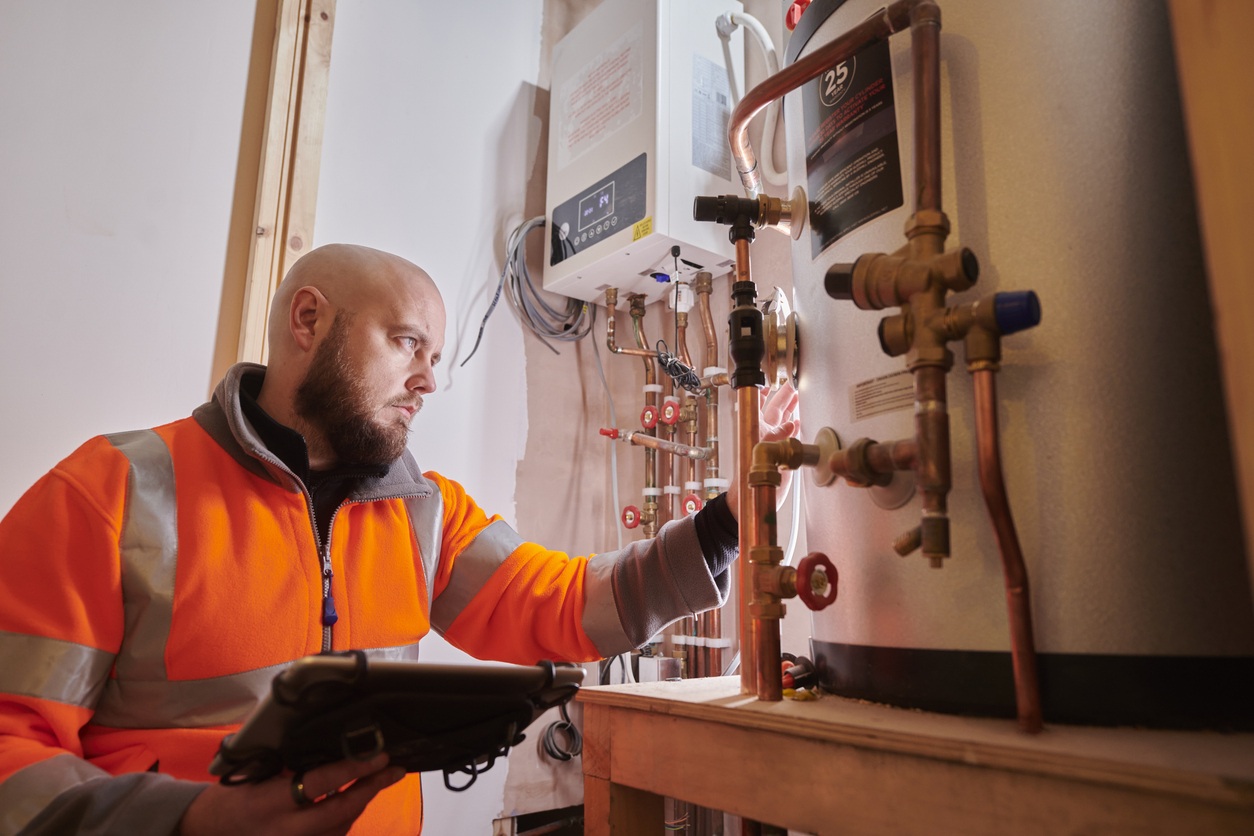
Consider the difference between a gas engineer who arrives at a property with a paper job sheet (and no background on the boiler’s service history) versus one who opens a mobile app showing the asset’s age, previous faults, and parts already ordered. The second engineer is set up to complete the job effectively the first time.
Work-Life Balance and Engagement
Mobile working can deliver improved work life balance when implemented thoughtfully. Reduced commuting to central offices means less time lost to
the daily commute and more time available for personal life. When rostering is optimised, workers get more predictable schedules that match their availability preferences.
Employee engagement often increases when mobile employees feel trusted to manage their own time. The autonomy that comes with mobile working, that is, being out in the community rather than monitored in an office, can be a significant factor in job satisfaction and retention.
Cost Savings
Organisations with well-managed mobile workforces typically achieve significant cost savings across multiple areas:
- Lower need for large central offices and desk space
- Reduced mileage through smarter routing and dynamic scheduling
- Fewer repeat visits when workers have better information at the point of service
- Leaner back-office admin through digital forms and automated workflows
Recruitment and Retention
Access to a broader talent pool becomes possible when roles aren’t tied to a physical location. If a homecare coordinator can work from anywhere in a region, you’re no longer limited to candidates within commuting distance of a single office. This global talent pool advantage is particularly valuable in sectors facing workforce shortages.
Totalmobile’s Field First platform supports these benefits through intelligent scheduling, digital job sheets, pre-populated forms, and integrated asset data that streamline each visit. When deskless workers have the right tools in their hands, the many benefits of mobile working become achievable rather than aspirational.
Core Components of Effective Mobile Working
Successful mobile working is built on four pillars: people, process, technology, and data insight.
- Clear roles and responsibilities form the foundation. Who schedules work? Who has authority to reassign jobs during the day? Who supports field staff when something goes wrong? Without clarity on these questions, mobile working becomes chaotic. HR professionals, operational managers, and IT teams all have roles to play, and their responsibilities need structured definition.
- Processes designed for mobile make the difference between systems that work and systems that frustrate. Short, structured digital forms that can be completed on a small screen. Simple workflows for job completion that don’t require multiple logins. Minimal reliance on printing documents or returning to base to complete administrative tasks. If processes were designed for office workers and simply transplanted to mobile devices, they’ll fail.
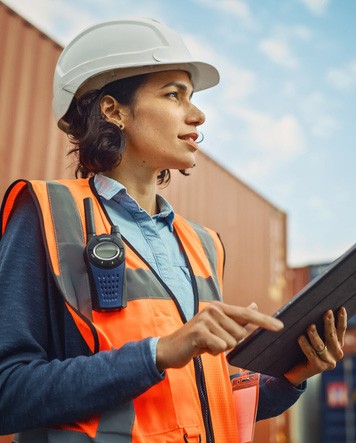

- Secure, user-friendly technology is essential. Mobile apps must be designed for field use; clear interfaces that work in bright sunlight, offline capability for areas with poor connectivity, and integration with back-office systems so data flows seamlessly. Workers shouldn’t need to manage devices manually or juggle multiple logins across disconnected systems.
- Data and analytics close the loop. Real-time dashboards show what’s happening now. Historical performance data reveals patterns that enable continuous improvement, such as being able to optimise routes, adjust staffing levels, refine appointment windows, and monitor SLA compliance.
Organisations need visibility of where work is happening, the ability to schedule jobs intelligently, and real-time data flowing between field teams and back-office systems. This is typically achieved through mobile workforce management software, which brings together scheduling, job management, mobile apps, and performance analytics in a single operational environment.
Intelligent Scheduling and Rostering
Intelligent scheduling is about matching the right person, with the right skills and authorisations, to the right job at the right time, while respecting travel times, contractual rules, and worker preferences.
Modern scheduling engines use multiple constraints simultaneously:
- Skill sets and certifications required for specific jobs
- Priority levels and SLA requirements
- Current location and projected travel time
- Shift patterns and contracted hours
- Mandated rest breaks and working time regulations
The result is optimised schedules built automatically, with manual intervention only for exceptions.
Totalmobile provides dynamic scheduling and rostering tools that update in real time. When jobs overrun, are cancelled, or new urgent work is logged, schedules adjust automatically.
Job and Asset Management in the Field
Mobile workers benefit enormously when they have full job details, asset histories, and documentation at their fingertips when they arrive on-site.
Accurate asset information (such as location, maintenance history, known issues, parts lists) reduces time-to-fix and the risk of repeat visits.
Mobile job management should also support capturing data at the point of service, such as photos of completed work or discovered issues, customer signatures and meter readings.
This real-time data capture enables better compliance reporting for statutory inspections and safety checks. It also supports more accurate billing or funding claims when services are reimbursed based on completed work.
Field First unifies job and asset management, ensuring field workers see up-to-date information and back-office teams get immediate visibility of work status, without waiting for paper forms to be returned and transcribed.
Field Intelligence and Performance Analytics
Once mobile working is digitised, organisations unlock the ability to analyse performance in ways that were previously impossible. Every completed job, every route taken, every failed appointment becomes data that can drive improvement.
Typical analytics can include average jobs completed per day, ratio of travel time to service time, SLA targets and first-time fix rates.
Totalmobile’s analytics capabilities help organisations move from reactive firefighting to proactive planning and continuous improvement.
How to Implement Mobile Working Successfully
Many organisations already have some mobile workers, but implementation is often fragmented. Different teams use different tools. Processes have evolved organically. Data sits in silos. A structured approach is needed to scale mobile working effectively.
A phased implementation typically follows this pattern:
- Assess current state – Map existing workflows, document pain points, identify compliance requirements
- Design the target model – Define what good mobile working looks like for your organisation
- Select and align technology – Choose platforms that support the target model and integrate with existing systems
- Pilot in a limited area – Test with one team or region, gather feedback, refine approach
- Scale – Roll out across departments or regions, with ongoing optimisation
Future Trends in Mobile Working for Field Services
Mobile working will continue to evolve, especially in data-rich, safety-critical sectors. Several trends are already visible.
Predictive analytics and AI are increasingly driving scheduling and resource decisions. Rather than reacting to demand, systems forecast it, predicting which postcodes will see increased homecare referrals, which assets are approaching failure, which workers are at risk of burnout based on workload patterns. AI-powered tools can recommend optimal routes, suggest next-best-actions for technicians, and automate repetitive tasks like job allocation.
Remote support tools are expanding what can be accomplished without specialist site visits. Video calls between junior field workers and experienced technicians enable real-time guidance. Annotated images shared via productivity apps allow remote diagnosis.
IoT-enabled assets can alert organisations before failures occur. Sensors in equipment, buildings, or infrastructure trigger proactive mobile work orders when readings indicate problems—before tenants call to complain, before critical systems fail, before small issues become expensive repairs.
Workforce expectations are shifting. Newer generations expect seamless mobile experiences that match consumer apps, real-time feedback on their employee performance, and self-service access to rotas and personal data. Organisations that fail to meet these expectations will struggle to attract and retain talent, particularly in competitive markets.